Brief connects to your email, calendar, chat and task manager directly. Most of your work also lives somewhere else: a spreadsheet that drives a process, a CRM record, a meeting transcript from a notetaker. Brief cannot see any of it, and the things you most want it to act on are often in exactly those places.
MCP closes that gap. Register an MCP server under Settings → Connections and the systems behind it become available in the Ask Brief chat. You can query them directly, and you can schedule agents that act on them.
Composio is the easiest place to start. It is an MCP service that connects to hundreds of business systems and exposes them as tools an assistant can call. Connect Composio once, and every system you link there arrives through that single connection.
The list is long and includes Microsoft OneDrive, Microsoft Teams, Google Drive, Zoho, HubSpot, Clay, Notion, Read.ai and Fathom.
This Use Composio MCP to connect to Google Drive How to video is worth watching once before you do it. It takes you through the setup of Composio within Brief for connecting to Google Drive.
What this lets Brief do
Agent tools bring your other systems into Brief. The Brief MCP server runs the other way: it lets an outside assistant such as ChatGPT or Claude reach your Brief context from wherever you are already working.
This allows you to automate a variety of work tasks such as:
Bring in meeting transcripts and notes. A notetaker captures the meeting, and Composio hands the transcript to Brief, which reads the commitments and decisions out of it the same way it reads them out of your email.
Read and update your tracking documents. The customer sheet, the project tracker, the process doc you open every morning. Brief can read them as part of answering a question, and update them as part of completing a task.
Watch another system for changes. Brief tells you when something moves in a system you do not have open.
Report on what is in them. Schedule an agent and Brief sends you a weekly status report built from what those systems hold, rather than from what you remember to check.
Before you start
Sign up for Composio at composio.dev/for-you.
Choose the For You service. Composio's other offerings are built for software developers.
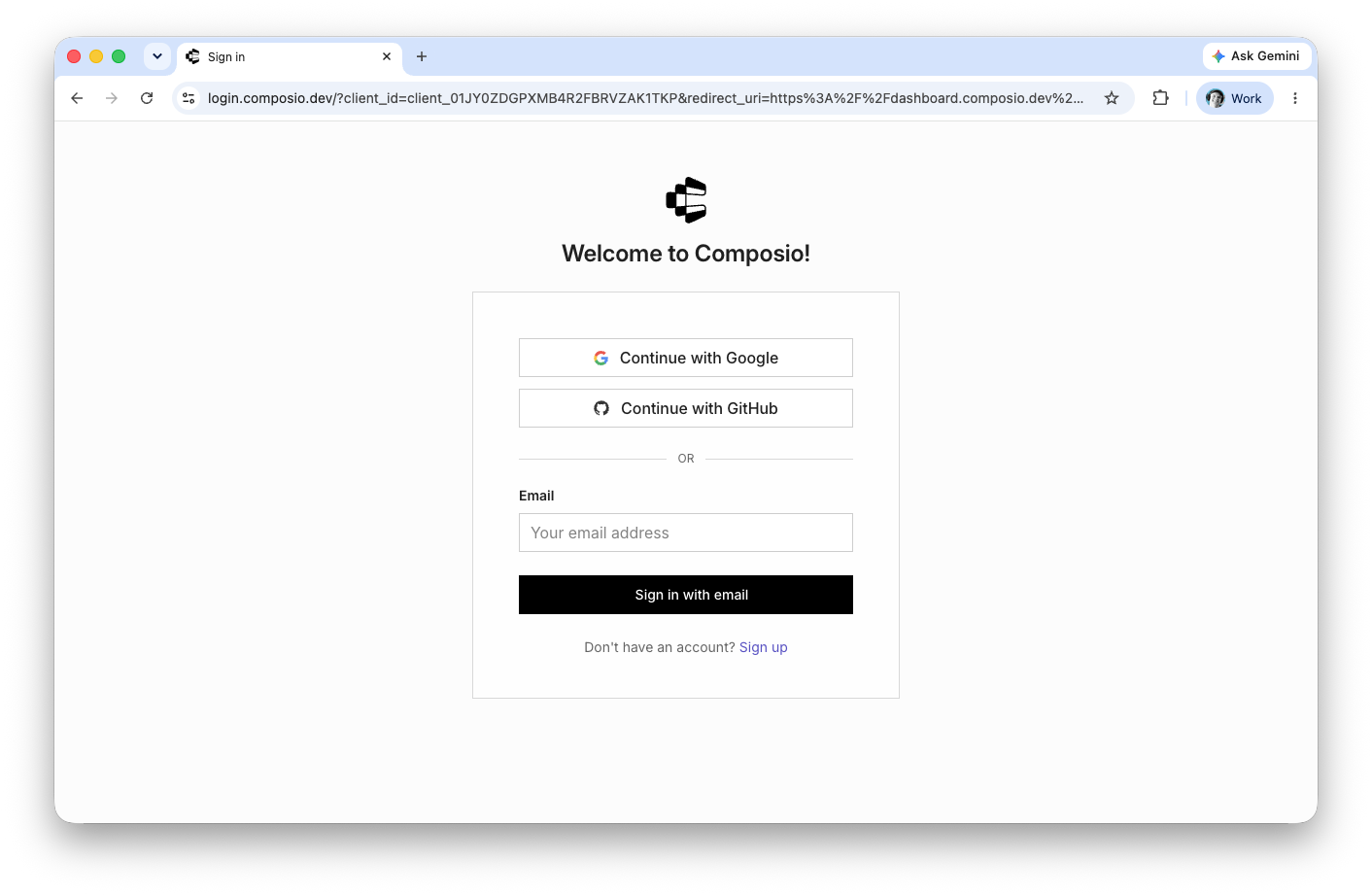
Sign up with the same account you use for Brief. The two services connect to the same systems on your behalf, and matching accounts keeps that straightforward later.
As of September 2026, For You is free for up to 100,000 tool calls per month, with paid plans above that. Check their pricing page for the current terms.
Step 1: connect your apps in Composio
This article configures Google Drive as the worked example, so you can build workflows around reading and updating your own documents. The steps are the same for any other system Composio supports.
- Open Composio and check the Switch dropdown at the top. Select For You if it is not already selected.
- Click Connect Apps.
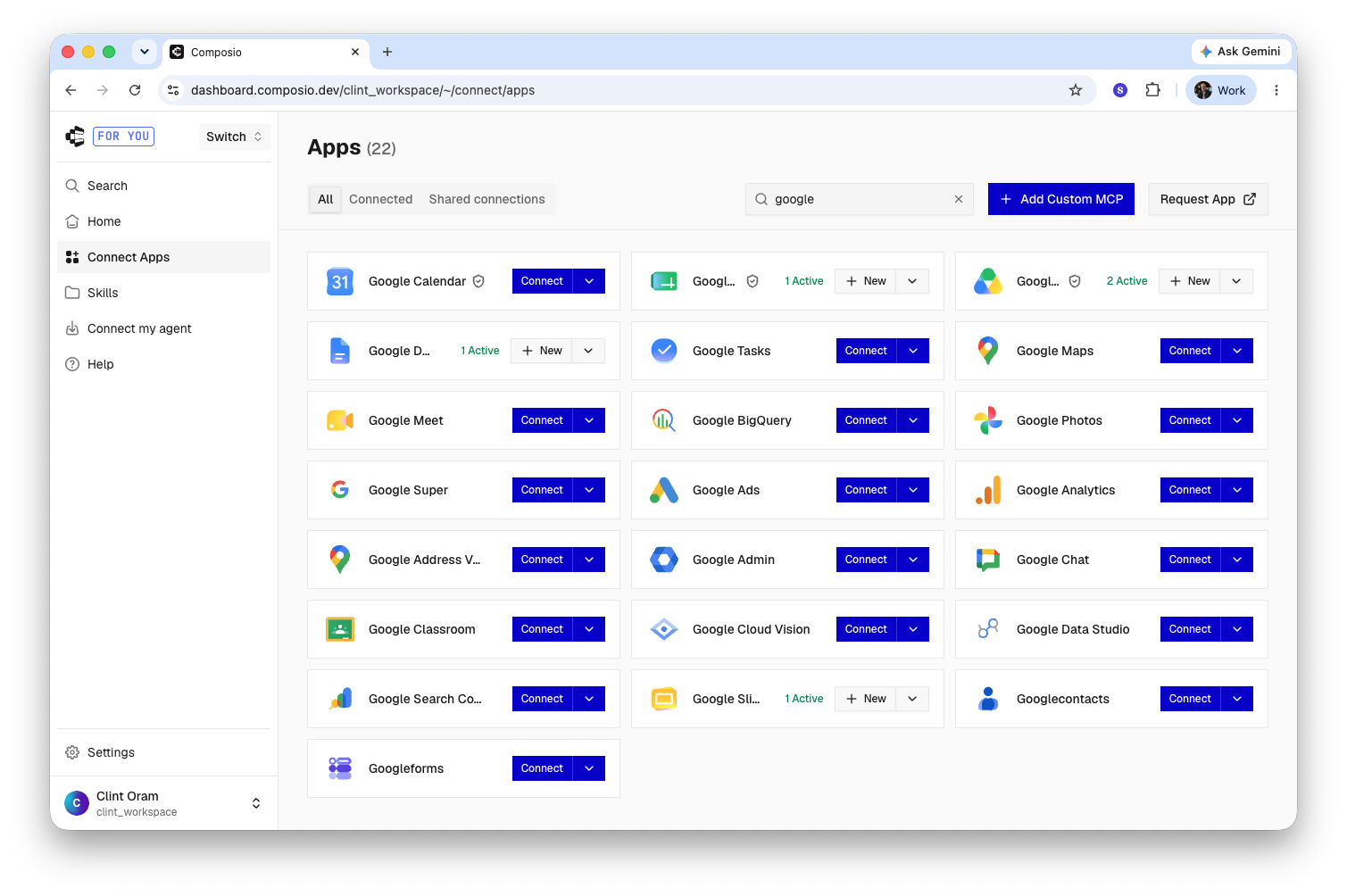
- Type "Google" in the search bar at the top of the screen. All four apps you need come back together.
- Connect each of them in turn. Composio asks you to sign in to Google and approve the access each one needs.
Connect all four, because they carry different permissions and one spreadsheet question often needs more than one:
- Google Drive
- Google Docs
- Google Slides
- Google Sheets
For any other system, search its name the same way.
Step 2: connect Composio in Brief
Composio is an MCP server, so it connects through the same screen as any other agent tool.
- In Brief, go to Settings → Connections, and navigate to the Agent tools group.
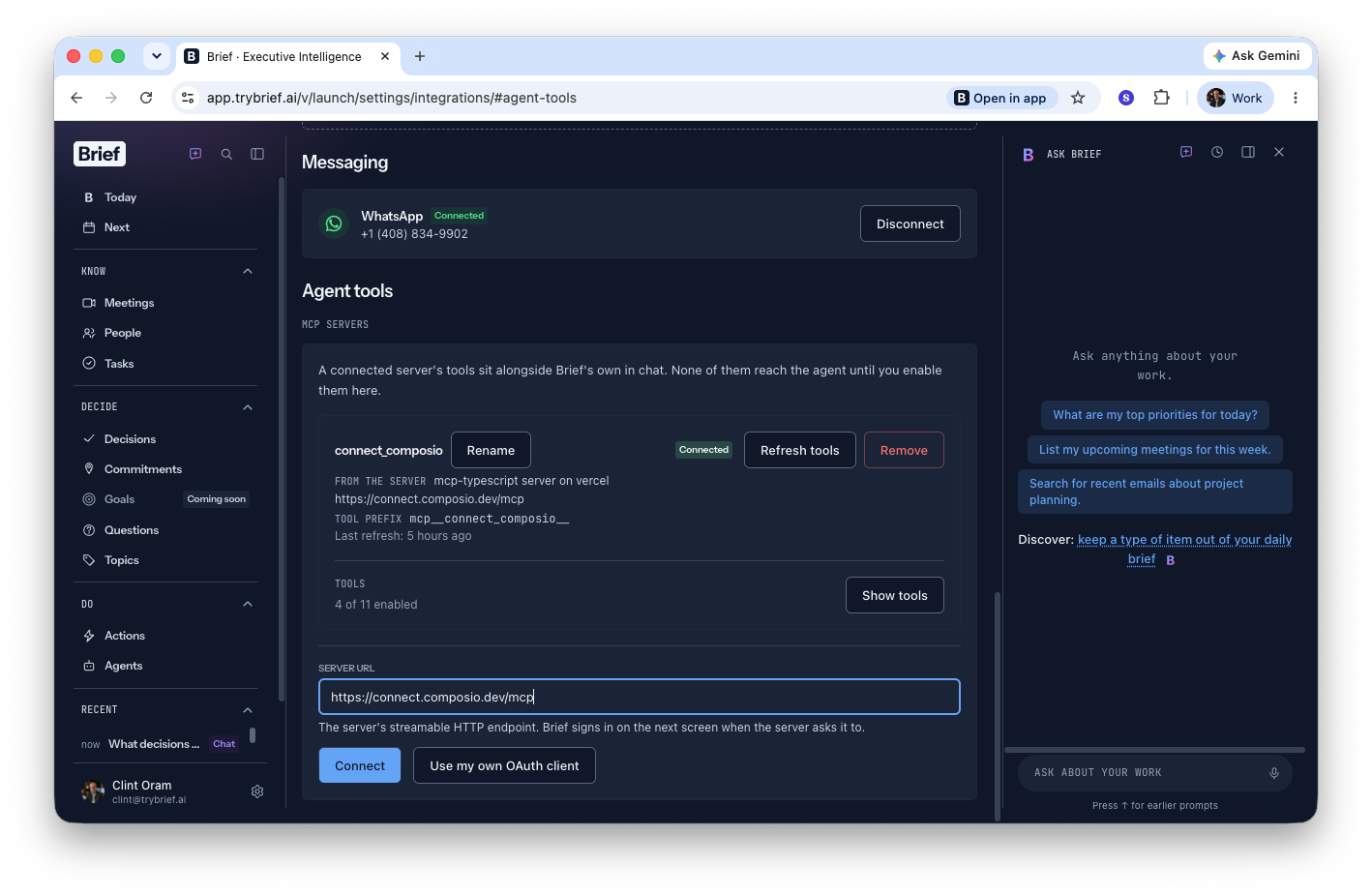
- Enter this server URL:
https://connect.composio.dev/mcp - Click Connect. Brief sends you through a login sequence for your Composio account, which is what links the two.
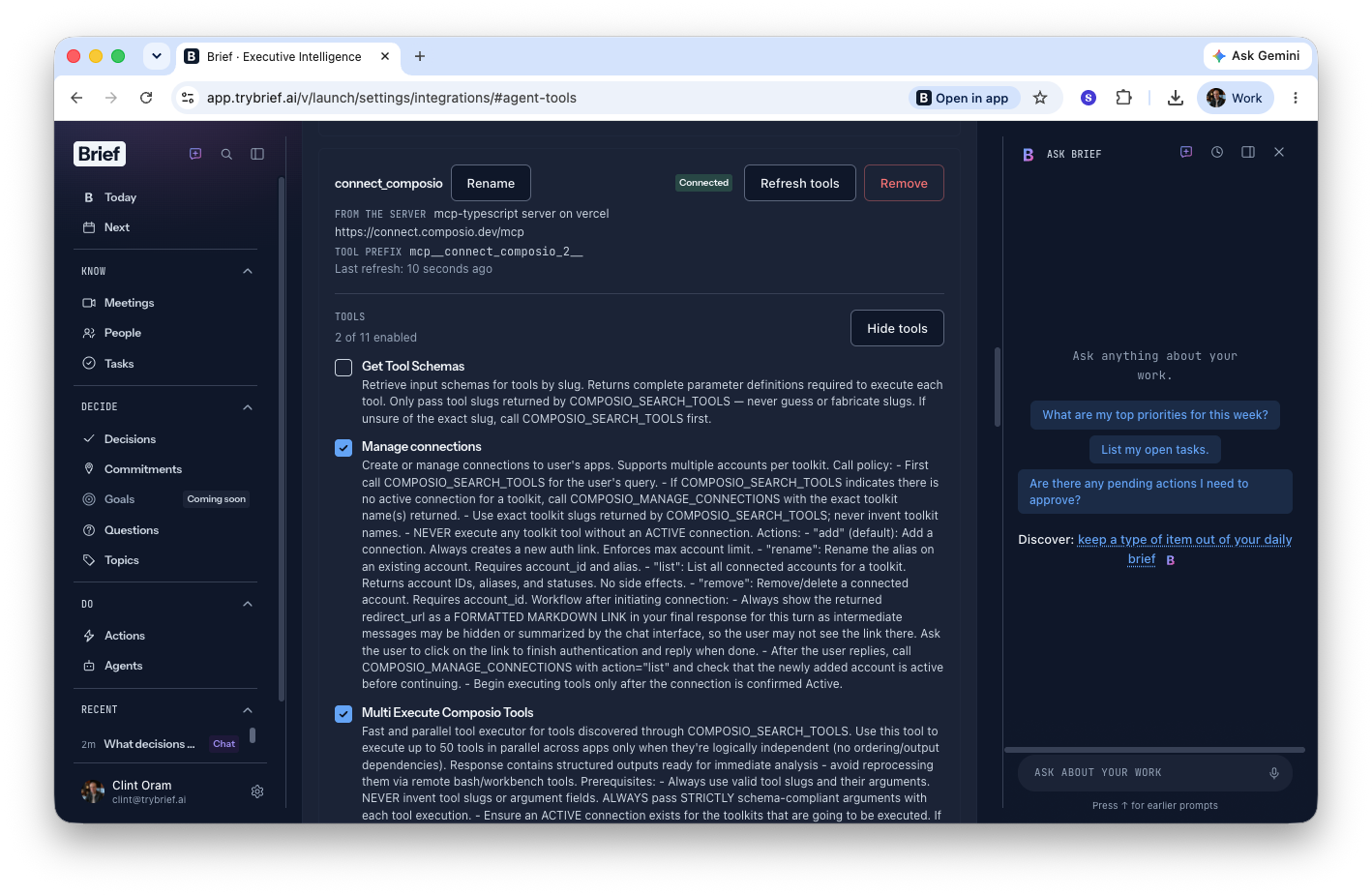
- Choose the tools Brief needs access to. Check these four:
- Manage connections
- Multi Execute Composio Tools
- Search Composio Tools
- Wait for connection
For what else lives on that screen, see Connection settings.
Step 3: check that it works
Open the Ask Brief chat and prompt:
Connect to Google Drive and list all of my Google Sheets. Tell me about the first spreadsheet in that list.
Brief returns a list of your Google Sheets and a description of the first one. Brief is now reaching your Google Drive and the content in it, and you can start asking real questions of it, or giving instructions on what to update next.
If nothing comes back, the usual cause is a system connected in Composio but not yet approved, or a tool left unchecked in step 2. Reopen Settings → Connections and confirm all four tools are selected.
Related
- Connection settings covers the Connections screen itself.
- Connecting AI assistants to Brief with MCP is the other direction: reaching Brief from ChatGPT or Claude.
- Scheduled agents is where the weekly report above gets set up.